# GitBanners: all pages
> GitBanners turns any public GitHub user, organization or repository into a live banner image (SVG or PNG) with a stable URL. Paste one URL into a README, a profile or a website. No account, API key or build step is needed.
This document holds every content page of https://gitbanners.com in full. The index with links is at https://gitbanners.com/llms.txt.
---
Source: https://gitbanners.com/ (Markdown: https://gitbanners.com/index.md, updated 2026-11-13)
# Live GitHub banners for profiles, repos and orgs
Type a username or owner/repo. Get a banner that updates itself, as SVG or PNG, for your README, X header, LinkedIn and link previews.
## One URL that stays current
`gitbanners.com/you` is a page. Add `.svg` or `.png` and it is the image. GitHub data refreshes every 15 minutes, so a banner you pasted once keeps telling the truth.
| URL | What you get |
| --- | --- |
| `gitbanners.com/{user}.svg` | Profile overview |
| `gitbanners.com/{user}/activity.svg` | Only the contribution graph |
| `gitbanners.com/{user}/repos.svg` | Top repositories and activity |
| `gitbanners.com/{owner}/{repo}.svg` | Repository overview |
| `gitbanners.com/{owner}/{repo}/contributors.svg` | Contributors with avatars |
| `gitbanners.com/{org}.svg` | Organization overview |
| `gitbanners.com/embed/{user}` | Extension-less image URL for embedding |
[](https://gitbanners.com/markeljan)
## Banners for people, projects and teams
Sixteen presets cover the things people put in a README or a header: who you are, what you ship and who you ship it with.
### Profiles
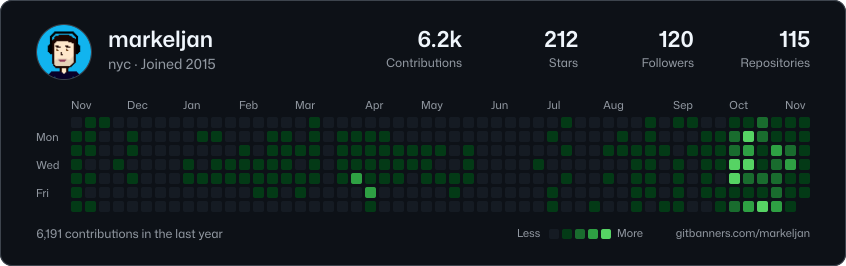
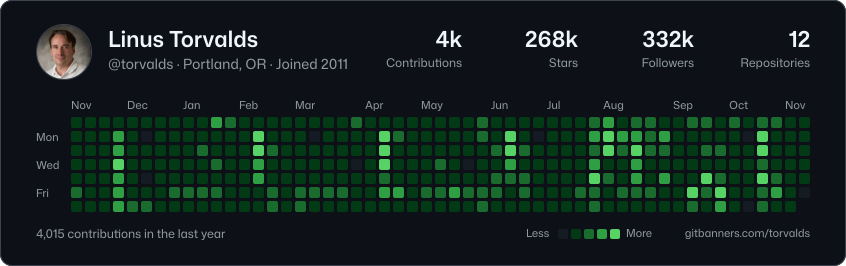
Overview, activity only, stats, top repositories, languages, streak, a compact card and a year in review. Works for any public account.
[](https://gitbanners.com/torvalds)
### Repositories
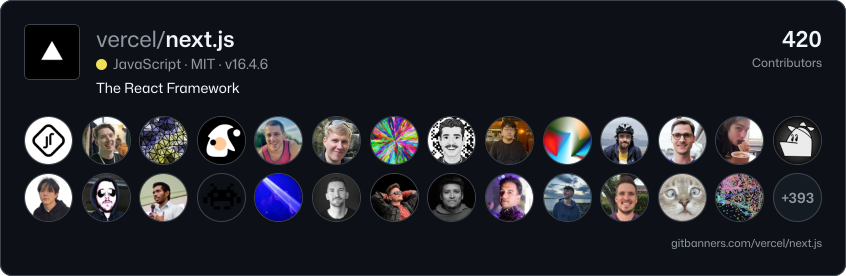
Overview with the language bar, a year of commit activity, contributors with avatars, the latest release and a social preview sized for GitHub's upload.
[](https://gitbanners.com/vercel/next.js/contributors)
### Organizations
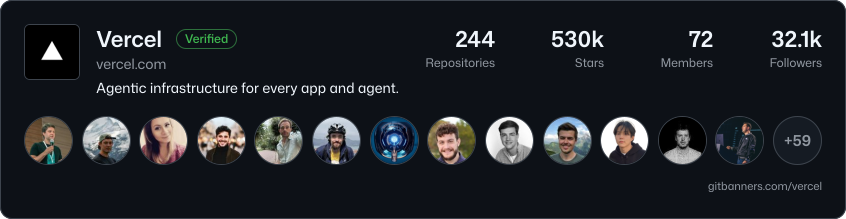
Members, repositories and stars of a whole organization, its top repositories, and the combined commit activity of its most active projects.
[](https://gitbanners.com/vercel)
## Sized for where you post
README, X header, LinkedIn banner, link preview, GitHub social preview and square. In the studio a dashed area shows where each site puts your profile photo, and the layout keeps clear of it.
| Size | Pixels | Parameter |
| --- | --- | --- |
| README | 846 wide, height follows content | `size=readme` |
| X header | 1500 by 500 | `size=x` |
| LinkedIn banner | 1584 by 396 | `size=linkedin` |
| Link preview | 1200 by 630 | `size=og` |
| GitHub social preview | 1280 by 640 | `size=social` |
| Square | 1080 by 1080 | `size=square` |
## Themes that match GitHub and your editor
The default is GitHub's own dark theme, colour for colour. There are 24 themes in all, including GitHub light and dimmed, Dracula, Tokyo Night, Catppuccin, Nord, Gruvbox and Solarized, and every colour can be overridden in the URL. [Browse all themes](https://gitbanners.com/themes).
```text
https://gitbanners.com/markeljan.svg?theme=tokyo-night
https://gitbanners.com/markeljan.svg?bg=0b1021&accent=ff7ac6&heat=a855f7
```
## Paste it into your README
Every banner comes with a snippet. The plain Markdown one works everywhere; the picture one follows the reader's light or dark GitHub theme.
```md
[](https://gitbanners.com/markeljan)
```
```html
```
## Replace the cards that stopped loading
If your stats, trophy or activity card shows a broken image, paste your README into the [README doctor](https://gitbanners.com/docs/migrate). It finds image URLs that point at dead card servers and gives you working ones back.
## Free for public data. Pro for a star.
Every banner, preset, size and theme is free, with no sign-in. Pro costs one star on [markeljan/gitbanners](https://github.com/markeljan/gitbanners) and adds the things you want once a banner is part of your profile. [See pricing](https://gitbanners.com/pricing).
| | Free | Pro |
| --- | --- | --- |
| Live banners, all presets, sizes and themes | Yes | Yes |
| SVG and PNG, custom colours | Yes | Yes |
| Saved banners with stable links | 3 | 50 |
| GitBanners mark on saved banners | Shown | Removable |
| Animated contribution graph (SVG) | No | Yes |
| Your own default banner at your profile URL | No | Yes |
| Refresh at the edge | 15 minutes | 5 minutes |
| Price | $0 | One GitHub star |
## Works for agents
GitBanners is built to be used by software as much as by people. Nothing needs a key or an account.
- Every content page and banner page has a Markdown version: add `.md` to the URL or send `Accept: text/markdown`.
- A keyless JSON API under `/api/v1`, described by [OpenAPI](https://gitbanners.com/openapi.json), with standard rate-limit headers and problem+json errors.
- An [MCP server](https://gitbanners.com/docs#mcp) with read-only tools for profiles, repositories, search and banner URLs.
- An [llms.txt](https://gitbanners.com/llms.txt) index and a full-text [llms-full.txt](https://gitbanners.com/llms-full.txt).
## Frequently asked questions
### What is GitBanners?
A free tool that turns a GitHub username, repository or organization into a banner image: contribution graph, stats, top repositories, contributors. Each banner has a URL, so the image updates when the GitHub activity does.
### How do I add a banner to my GitHub README?
Copy the Markdown under any banner and paste it into your README, for example `[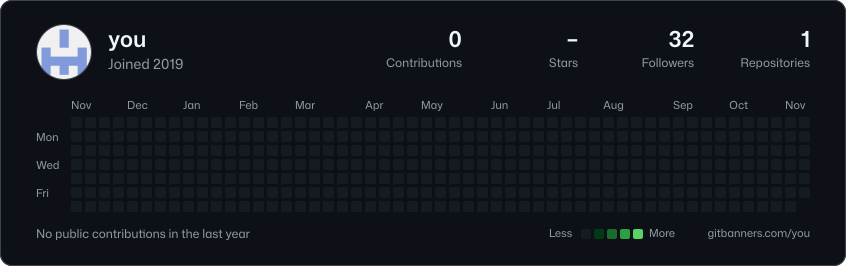](https://gitbanners.com/you)`. For a profile README, the file lives in a repository named after your username.
### How often do banners update?
GitHub data is refreshed every 15 minutes, and the image cache GitHub puts in front of READMEs follows that timing. Headers on X and LinkedIn are uploads, so download a fresh PNG when you want to update them.
### Do I need to sign in?
No. Anything public works with just a name. Sign in with GitHub to save banners, and star the repository to unlock Pro. Signing in asks GitHub for no permissions beyond your public profile.
### Can a banner include my private contributions?
Yes, as counts only. Turn on "Private contributions" in your GitHub profile settings and GitHub includes them in your graph, so your banner shows them too. Names of private repositories never appear on a banner.
### Which sizes and formats are there?
SVG and PNG. Presets for README (846 px wide), X header (1500 by 500), LinkedIn banner (1584 by 396), link preview (1200 by 630), GitHub social preview (1280 by 640) and square (1080 by 1080), or any custom size.
### What does Pro add, and what does it cost?
Pro removes the GitBanners mark from saved banners, adds animated SVG, 50 saved banners instead of 3, your own default banner at your profile URL and faster refresh. It costs one star: sign in with GitHub and star the [markeljan/gitbanners](https://github.com/markeljan/gitbanners) repository.
### My github-readme-stats card stopped loading. Can I use GitBanners instead?
Yes. Cards that point at a paused or rate-limited server show a broken image. Swap the image URL for a GitBanners one, or paste your README into the [README doctor](https://gitbanners.com/docs/migrate) and copy the fixed version.
### Can AI agents use GitBanners?
Yes. Content pages and banner pages have a Markdown version (add `.md` or send `Accept: text/markdown`), there is a keyless JSON API described by [OpenAPI](https://gitbanners.com/openapi.json), an [MCP server](https://gitbanners.com/docs#mcp) with read-only tools, and an [llms.txt](https://gitbanners.com/llms.txt) index.
---
Source: https://gitbanners.com/docs (Markdown: https://gitbanners.com/docs.md, updated 2026-11-13)
# GitBanners API docs
Everything GitBanners does has an address. A banner is a URL, the data behind it is a JSON API, and the same operations are tools on an MCP server. None of it needs a key, an account or a build step.
## Quick start
Put a GitHub login, or `owner/repo`, in the path and add `.svg` or `.png`:
```text
https://gitbanners.com/markeljan.svg
https://gitbanners.com/vercel/next.js/contributors.png?theme=dracula
```
In a README, wrap the image in a link to its page:
```md
[](https://gitbanners.com/markeljan)
```
Software should ask the API instead of building URLs by hand. It checks that the target exists and answers with the image URLs and the embed code:
```bash
curl "https://gitbanners.com/api/v1/banner?target=vercel/next.js"
```
## URL patterns
URLs are shaped like GitHub's own. The same path is a page, an image or a Markdown document, depending on its ending.
| URL | Answers with |
| --- | --- |
| `/{owner}` | The page of a user or an organization. |
| `/{owner}.svg`, `/{owner}.png` | The banner of that account, drawn with its default preset. |
| `/{owner}/{preset}.svg` | One preset of a profile, such as `/torvalds/streak.svg`. |
| `/{owner}/{repo}` | The page of a repository. |
| `/{owner}/{repo}.svg` | The banner of a repository. |
| `/{owner}/{repo}/{preset}.svg` | One preset of a repository, such as `/vercel/next.js/contributors.svg`. |
| `/embed/{owner}`, `/embed/{owner}/{repo}` | The image without an extension. The format follows the `Accept` header. |
| `/b/{id}.svg`, `/b/{id}.png` | A saved banner, by its id. |
| `/{owner}.md`, `/{owner}/{repo}.md` | The page as Markdown: who it is, the numbers, every banner URL. |
- `{owner}` is the login of a GitHub user or organization. It is not case-sensitive; links are printed in lower case.
- A second segment that is the id of a profile preset (`overview`, `activity`, `stats`, `repos`, `languages`, `streak`, `wrapped`, `card`) selects that preset. Anything else is read as a repository name. A repository that shares its name with a preset is written with its own preset: `/{owner}/{repo}/overview.svg`.
- A login that collides with a route of this site is written with `@`: `/@docs.svg` is the banner of the GitHub account named docs.
- `.svg` and `.png` are honoured on the last segment only, so `/vercel/next.js` is a repository and not a file.
- Options go in the query string and are the same for every form: `?theme=dracula&size=og`. A saved banner keeps its own options and ignores them.
### Image responses
A well-formed image URL always answers `200` with an image. A README shows a broken-image icon for any other status, so an unknown login or a GitHub outage is drawn as a small card instead, and the `X-Banner-State` header says which it was.
| `X-Banner-State` | Meaning | Kept by the CDN for |
| --- | --- | --- |
| `ok` | Drawn from complete data. | 15 minutes |
| `provisional` | Drawn while GitHub was still computing part of the data. | 1 minute |
| `not_found` | No account or public repository has that name. | 5 minutes |
| `unavailable` | GitHub could not be asked and no earlier copy exists. | 30 seconds |
| `error` | Drawing failed. | 30 seconds |
- `Cache-Control: public, max-age=600` lets browsers and GitHub's image proxy reuse an image for 10 minutes. The CDN refreshes its own copy every 15 minutes, serves the previous one while it does, and keeps serving it for up to 7 days if GitHub cannot be reached.
- `Access-Control-Allow-Origin: *` and `Cross-Origin-Resource-Policy: cross-origin`: a banner can be embedded, fetched and drawn on a canvas from any site.
- SVG answers carry a `Content-Security-Policy` that allows no scripts and no external resources. Avatars are inlined, so the image needs nothing from the network.
- `?scale=1`, `2` or `3` sets the pixel density of a PNG. README banners default to 2, the fixed social sizes to 1. `?download=1` asks the browser to save the file.
- A URL that cannot be a banner answers `404` and no image: as a problem (`not_found`) when a login or repository name is too long or malformed or the path has more than three segments, and as the HTML 404 page when the first segment is a route of this site or contains a character no GitHub login can.
### Content negotiation
The bare URL of a banner page answers with what the client asks for.
| Request | Answer |
| --- | --- |
| `Accept: text/html`, `Accept: */*` or no `Accept` header | The HTML page. |
| `Accept: text/markdown`, alone or listed before `text/html` | The page as Markdown. |
| `Accept: image/*` without `text/html`, which is what an `` tag sends | The image. |
Negotiated answers carry `Vary: Accept`. Embed snippets always use the explicit `.svg` or `.png` URL, which answers the same for every client.
### Embedding
Markdown for a README. The image links to its page, where a reader can copy the banner for themselves:
```md
[](https://gitbanners.com/markeljan)
```
HTML that follows the reader's light or dark theme on GitHub:
```html
```
GitHub data is refreshed every 15 minutes, the CDN copy of an image every 15 minutes, and GitHub's image proxy keeps its copy for 10 minutes. A banner in a README therefore trails GitHub by less than an hour.
## Variants and themes
A banner is a preset (what it shows), a size (the canvas), a theme (the colours) and optional overrides. [GET /api/v1/options](#get-options) returns everything in this section as JSON.
### Presets
There are 16 presets. The kind of the target decides which ones apply; an id that does not exist for the kind falls back to its default.
| For | Preset | URL | Shows |
| --- | --- | --- | --- |
| User | `overview` | `/{owner}.svg` | Identity, headline numbers and the contribution graph. |
| User | `activity` | `/{owner}/activity.svg` | Only the contribution graph, with the yearly total. |
| User | `stats` | `/{owner}/stats.svg` | Eight headline numbers for the last 12 months. |
| User | `repos` | `/{owner}/repos.svg` | Pinned or most-starred repositories above the contribution graph. |
| User | `languages` | `/{owner}/languages.svg` | Language mix across public repositories. |
| User | `streak` | `/{owner}/streak.svg` | Current and longest streak over the last year of activity. |
| User | `wrapped` | `/{owner}/wrapped.svg` | A poster of one calendar year: the total, the graph, streak, best day, busiest month and top repositories. |
| User | `card` | `/{owner}/card.svg` | Small README card with three numbers. |
| Repository | `overview` | `/{owner}/{repo}.svg` | Name, description, headline numbers and the language bar. |
| Repository | `activity` | `/{owner}/{repo}/activity.svg` | A year of commits as a contribution-style calendar, with the headline numbers. |
| Repository | `contributors` | `/{owner}/{repo}/contributors.svg` | The people behind the repository, as an avatar grid. |
| Repository | `social` | `/{owner}/{repo}/social.svg` | Poster sized for the repository social preview and link previews. |
| Repository | `release` | `/{owner}/{repo}/release.svg` | Latest release, open issues and pull requests, and commits per week. |
| Organization | `overview` | `/{owner}.svg` | Identity, headline numbers and the faces of public members. |
| Organization | `repos` | `/{owner}/repos.svg` | The organization's most-starred public repositories. |
| Organization | `activity` | `/{owner}/activity.svg` | A year of commits across the organization's top repositories, as a calendar. |
### Sizes
| `size` | Name | Pixels | For |
| --- | --- | --- | --- |
| `readme` | README | 846 wide, height follows the content | Fits the GitHub README column. Height follows the content. |
| `x` | X header | 1500 by 500 | Profile header on X. Also fits Bluesky and Mastodon. |
| `linkedin` | LinkedIn banner | 1584 by 396 | Background image of a personal LinkedIn profile. |
| `og` | Link preview | 1200 by 630 | Open Graph image for link previews in chats and feeds. |
| `social` | GitHub social preview | 1280 by 640 | Repository social preview. Upload it in the repo settings. |
| `square` | Square | 1080 by 1080 | Square post for feeds. |
`width` (320 to 3000) and `height` (120 to 3000) set a custom canvas in pixels. A custom width without a height keeps the automatic height.
### Themes
There are 24 themes. The default is `github-dark`, and an unknown id falls back to it. Every colour of a theme can be overridden with the parameters below.
| `theme` | Name | Mode | Background | Accent |
| --- | --- | --- | --- | --- |
| `github-dark` | GitHub Dark | dark | `#0d1117` | `#4493f8` |
| `github-light` | GitHub Light | light | `#ffffff` | `#0969da` |
| `github-dark-dimmed` | GitHub Dark Dimmed | dark | `#212830` | `#478be6` |
| `github-dark-high-contrast` | GitHub Dark High Contrast | dark | `#010409` | `#74b9ff` |
| `github-light-high-contrast` | GitHub Light High Contrast | light | `#ffffff` | `#023b95` |
| `github-halloween` | GitHub Halloween | dark | `#0d1117` | `#4493f8` |
| `github-halloween-light` | GitHub Halloween Light | light | `#ffffff` | `#0969da` |
| `github-winter` | GitHub Winter | dark | `#0d1117` | `#4493f8` |
| `github-winter-light` | GitHub Winter Light | light | `#ffffff` | `#0969da` |
| `github-dark-classic` | GitHub Dark Classic | dark | `#0d1117` | `#4493f8` |
| `dracula` | Dracula | dark | `#282a36` | `#ff79c6` |
| `tokyo-night` | Tokyo Night | dark | `#1a1b26` | `#bb9af7` |
| `catppuccin-mocha` | Catppuccin Mocha | dark | `#1e1e2e` | `#cba6f7` |
| `catppuccin-latte` | Catppuccin Latte | light | `#eff1f5` | `#8839ef` |
| `nord` | Nord | dark | `#2e3440` | `#88c0d0` |
| `gruvbox-dark` | Gruvbox Dark | dark | `#282828` | `#fabd2f` |
| `one-dark` | One Dark | dark | `#21252b` | `#61afef` |
| `solarized-dark` | Solarized Dark | dark | `#002b36` | `#2aa198` |
| `solarized-light` | Solarized Light | light | `#fdf6e3` | `#d33682` |
| `rose-pine` | Rosé Pine | dark | `#191724` | `#ebbcba` |
| `monokai` | Monokai | dark | `#272822` | `#e6db74` |
| `synthwave-84` | SynthWave '84 | dark | `#262335` | `#36f9f6` |
| `vercel` | Vercel | dark | `#000000` | `#0072f5` |
| `ayu-dark` | Ayu Dark | dark | `#0d1017` | `#e6b450` |
### Query parameters
| Parameter | Value | What it does | Example |
| --- | --- | --- | --- |
| `size` | readme \| x \| linkedin \| og \| social \| square | Canvas. `readme` is 846 px wide with automatic height; the others are fixed social sizes. | `size=og` |
| `width` | integer 320-3000 | Custom canvas width in pixels. Overrides `size`. | `width=495` |
| `height` | integer 120-3000 | Custom canvas height in pixels. Without it a custom width gets an automatic height. | `height=195` |
| `theme` | theme id | Colour theme. Default `github-dark`. See /themes for all of them. | `theme=dracula` |
| `bg` | hex colour without # | Background colour, on top of the theme. | `bg=0d1117` |
| `surface` | hex colour without # | Colour of cards and tiles inside the banner. | `surface=151b23` |
| `border_color` | hex colour without # | Colour of outlines and hairlines. | `border_color=3d444d` |
| `text` | hex colour without # | Primary text colour. | `text=f0f6fc` |
| `muted` | hex colour without # | Secondary text and icon colour. | `muted=9198a1` |
| `accent` | hex colour without # | Accent colour for links, highlights and charts. | `accent=4493f8` |
| `heat` | hex colour without #, one or five separated by commas | Contribution graph colours. One colour is turned into a five-step ramp; five are used as given, from empty to busiest. | `heat=a855f7` |
| `font` | mona \| mono | Typeface: Mona Sans (default) or Mona Sans Mono. | `font=mono` |
| `radius` | integer 0-64 | Outer corner radius in pixels. | `radius=0` |
| `border` | 0 \| 1 | Draw the outer 1 px border. | `border=0` |
| `title` | text, at most 80 characters | Custom headline replacing the default title. | `title=Open source work` |
| `year` | integer from 2008 | Calendar year for profile banners. Default: the last 12 months. | `year=2025` |
| `stats` | comma-separated stat ids | Which numbers to show, in order, e.g. contributions, commits, pullRequests, stars, followers. | `stats=contributions,stars,followers` |
| `show` | comma-separated section ids | Explicit sections in render order, replacing the preset's own: header, stats, heatmap, streak, repos, languages, orgs, people, activity, contributors. | `show=header,heatmap,languages` |
| `hide` | comma-separated element ids | Elements to leave out: avatar, bio, meta, title, legend, labels, topics, description. | `hide=bio,legend` |
| `count` | integer 1-30 | How many repositories, contributors or people to show. | `count=4` |
| `brand` (Pro) | 0 \| 1 | Show the small site mark. Turning it off needs Pro. | `brand=0` |
| `animate` (Pro) | 0 \| 1 | Animate the contribution graph (SVG only). Needs a saved Pro banner. | `animate=1` |
Parsing is lenient on purpose: an unknown parameter is ignored and an invalid value falls back to the default, so a typo never breaks an image that is already embedded somewhere. The parameters marked Pro are honoured on saved banners of Pro accounts only.
## REST API
The JSON API lives under `https://gitbanners.com/api/v1`. It is read-only (`GET`, `HEAD` and `OPTIONS`), needs no key, and sends `Access-Control-Allow-Origin: *`, so a browser can call it from any site. [/openapi.json](https://gitbanners.com/openapi.json) describes it in OpenAPI 3.1.
| Operation | Request | Returns |
| --- | --- | --- |
| [`getOptions`](#get-options) | `GET /api/v1/options` | An `OptionsCatalog`. |
| [`search`](#search) | `GET /api/v1/search` | A `SearchResult`: the query and a list of suggestions. |
| [`getBanner`](#get-banner) | `GET /api/v1/banner` | A `BannerDescription`. |
| [`getOwner`](#get-owner) | `GET /api/v1/owners/{login}` | A `User` or an `Organization`. |
| [`getRepository`](#get-repository) | `GET /api/v1/repos/{owner}/{repo}` | A `Repository`. |
| [`getIndex`](#get-index) | `GET /api/v1` | An `ApiIndex`. |
| [`getApiRoot`](#get-api-root) | `GET /api` | An `ApiIndex`. |
Answers are JSON and may be cached: `Cache-Control: public, max-age=60` for account and repository data, `max-age=300` for search and the options catalog. Every answer, errors included, carries the [rate limit headers](#rate-limits) and a `Link` header to the OpenAPI description, the API catalog and this page.
### List presets, themes, sizes and parameters
`GET /api/v1/options`. Everything a banner URL can say: the presets for users, organizations and repositories, the colour themes with their palettes, the canvas sizes, the fonts and every documented query parameter. Takes no parameters, so it also works as a first call to check that the API is reachable.
```bash
curl "https://gitbanners.com/api/v1/options"
```
Returns: An `OptionsCatalog`.
### Search accounts and repositories by prefix
`GET /api/v1/search`. Typeahead over GitHub: accounts whose login starts with the query, or the repositories of one owner when the query is written as owner/prefix. The query must be 2 to 140 characters long.
- `q` (query, required): The start of a login such as `verc`, or `owner/prefix` such as `vercel/ne` for repositories.
```bash
curl "https://gitbanners.com/api/v1/search?q=verc"
```
Returns: A `SearchResult`: the query and a list of suggestions.
### Describe one banner: URLs, embed code, size
`GET /api/v1/banner`. The image URLs, embed snippets, dimensions and alt text of one banner, after checking with GitHub that the target exists. Takes the same option parameters as the image URLs and answers with the canonical form of the banner: GitHub's own capitalisation, default values left out of the query.
- `target` (query, required): A GitHub login such as `vercel`, or a repository as `owner/name` such as `vercel/next.js`. A github.com URL works too.
- `preset` (query, optional): Preset id for the kind of target. An id that does not exist for the kind falls back to its default preset.
- Every [banner parameter](#parameters) as a query parameter, such as `theme`, `size` or `accent`.
```bash
curl "https://gitbanners.com/api/v1/banner?target=vercel/next.js&preset=contributors&theme=dracula"
```
Returns: A `BannerDescription`.
### Get a user or an organization
`GET /api/v1/owners/{login}`. A GitHub user or organization as normalized JSON: profile, statistics, the contribution calendar with streaks, top repositories and languages. The `kind` field says which of the two it is.
- `login` (path, required): GitHub user or organization login.
- `year` (query, optional): Calendar year for a user's contribution calendar and statistics, from 2008 to the current year. Omit it for the last 12 months.
- `view` (query, optional): `preview` answers faster for users, from one upstream request: profile and contribution calendar, with `complete: false` and the remaining statistics `null`. Default `full`.
```bash
curl "https://gitbanners.com/api/v1/owners/vercel"
```
Returns: A `User` or an `Organization`.
### Get a repository
`GET /api/v1/repos/{owner}/{repo}`. A public repository as normalized JSON: counts, languages, a year of weekly commit activity, star history, the latest release and top contributors. A renamed repository answers under its current name.
- `owner` (path, required): Login of the user or organization that owns the repository.
- `repo` (path, required): Repository name as it appears on github.com.
```bash
curl "https://gitbanners.com/api/v1/repos/vercel/next.js"
```
Returns: A `Repository`.
### Get the API index
`GET /api/v1`. Where everything is: the current version, the OpenAPI description, the docs, the MCP endpoint and one URL template per operation and image form.
```bash
curl "https://gitbanners.com/api/v1"
```
Returns: An `ApiIndex`.
### Get the API root
`GET /api`. The unversioned entry point. It answers with the same index as the current version, so a client that only knows the host can find the versioned operations from here.
```bash
curl "https://gitbanners.com/api"
```
Returns: An `ApiIndex`.
### Image operations
The image URLs are part of the same OpenAPI description. They answer with `image/svg+xml` or `image/png` instead of JSON, and follow the rules under [image responses](#image-responses).
### Draw the banner of a user or an organization
`GET /{owner}.{format}`. The live banner image of a GitHub user or organization, drawn with the default preset. A well-formed URL always answers 200 with an image: an unknown login or an upstream failure is drawn as a card and reported in the `X-Banner-State` header, because an embedded image must never turn into a broken-image icon.
- `owner` (path, required): GitHub user or organization login. Write `@login` for a login that collides with a route of this site, such as `@docs`.
- `format` (path, required): Image format. SVG is the form to embed in a README; PNG is for surfaces that do not draw SVG.
- `scale` (query, optional): PNG pixel density. Default 2 for README banners (automatic height) and 1 for the fixed social sizes. Ignored for SVG.
- `download` (query, optional): Set to 1 to have the browser save the image instead of showing it.
- Every [banner parameter](#parameters) as a query parameter, such as `theme`, `size` or `accent`.
```bash
curl -o banner.svg "https://gitbanners.com/markeljan.svg"
```
Returns: An SVG or PNG image.
### Draw the banner of a repository, or a profile preset
`GET /{owner}/{repo}.{format}`. The live banner image of a public repository. When the second segment is the id of a profile preset (such as `activity`, `stats` or `streak`) the answer is that preset of the owner's banner instead. A third segment selects a repository preset: `/{owner}/{repo}/{preset}.{format}`. A well-formed URL always answers 200 with an image, like the owner form.
- `owner` (path, required): Login of the user or organization.
- `repo` (path, required): Repository name, or one of the profile preset ids: overview, activity, stats, repos, languages, streak, wrapped, card.
- `format` (path, required): Image format. SVG is the form to embed in a README; PNG is for surfaces that do not draw SVG.
- `scale` (query, optional): PNG pixel density. Default 2 for README banners (automatic height) and 1 for the fixed social sizes. Ignored for SVG.
- `download` (query, optional): Set to 1 to have the browser save the image instead of showing it.
- Every [banner parameter](#parameters) as a query parameter, such as `theme`, `size` or `accent`.
```bash
curl -o banner.png "https://gitbanners.com/vercel/next.js.png"
```
Returns: An SVG or PNG image.
## Errors
Every API answer that is not a success is `application/problem+json` (RFC 9457). Branch on `code`, show `title` and `detail` to a person, and follow `resolution`.
```json
{
"documentation_url": "https://gitbanners.com/docs#errors",
"type": "https://gitbanners.com/docs#error-not_found",
"title": "Not found",
"status": 404,
"detail": "No public GitHub user or organization is named no-such-login-here.",
"code": "not_found",
"resolution": "Check the spelling on github.com, then retry.",
"instance": "/api/v1/owners/no-such-login-here"
}
```
| Member | What it holds |
| --- | --- |
| `type` | A URL that identifies the kind of problem. It points at the row for the code in the table below. |
| `title` | A short summary, the same for every case of a code. |
| `status` | The HTTP status code, repeated. |
| `detail` | What went wrong this time. |
| `code` | A stable identifier to branch on. |
| `resolution` | What the caller can do about it. |
| `instance` | The path and query of the request. |
| `documentation_url` | This section. |
Codes of the public API and the image URLs:
| Code | Status | Meaning | What to do |
| --- | --- | --- | --- |
| `invalid_request` | 400 | A parameter is missing, malformed or out of range. | Read `detail` and `resolution`, fix the request, then retry. The same request will fail again. |
| `not_found` | 404 | No public GitHub user, organization or repository has that name. A private repository counts as not found. An image URL answers with this code when it cannot be a banner at all. | Check the spelling on github.com, or resolve a partial name with the search operation. |
| `api_route_not_found` | 404 | The path is not an operation of the API. | Find the operations in [/openapi.json](https://gitbanners.com/openapi.json) or [/.well-known/api-catalog](https://gitbanners.com/.well-known/api-catalog). |
| `method_not_allowed` | 405 | The path exists, but not for this HTTP method. The public API is read-only. | Retry with `GET`. The `Allow` header lists what is supported. |
| `rate_limited` | 429 | The client sent more requests than its quota allows. | Wait the number of seconds in `Retry-After`, then retry. |
| `internal_error` | 500 | The request failed for a reason that is not the caller's. | Retry in a moment. If it keeps failing, open an issue. |
| `upstream_rate_limited` | 503 | GitHub is rate limiting this service and no earlier copy of the data exists. | Retry after the number of seconds in `Retry-After`. |
| `upstream_unavailable` | 503 | GitHub did not answer in time and no earlier copy of the data exists. | Retry after the number of seconds in `Retry-After`. |
The web app's own account routes (saved banners, the signed-in user) use the same format with these codes. They work with a browser session from this site only and are not part of the public API:
| Code | Status | Meaning | What to do |
| --- | --- | --- | --- |
| `bad_request` | 400 | The request could not be understood, for example a body that is not valid JSON. | Fix the request, then retry. |
| `invalid_body` | 400 | The JSON body failed validation. | The `errors` member names each field and what is wrong with it. |
| `unauthorized` | 401 | Nobody is signed in, or the session is no longer valid. | Sign in with GitHub and try again. |
| `forbidden` | 403 | The signed-in account may not do this. | Read `detail` for the reason. |
| `cross_origin_request` | 403 | A request that changes account data came from another site. | Account data can only be changed from this site itself. |
| `pro_required` | 403 | The feature needs Pro. | Star the repository on GitHub, then sign in again. See [pricing](https://gitbanners.com/pricing). |
| `banner_limit_reached` | 403 | The plan's number of saved banners is used up. | Delete a saved banner, or unlock Pro for a higher limit. |
| `login_changed` | 409 | The GitHub login this session was created with now belongs to another account. | Sign in with GitHub again and retry. |
| `payload_too_large` | 413 | The request body is larger than 16 KB. | Send a smaller body. |
| `unsupported_media_type` | 415 | The body was not sent as JSON. | Send it with `Content-Type: application/json`. |
| `origin_mismatch` | 500 | Sign-in is misconfigured: the site's canonical address does not lead back to it. | Nothing a visitor can fix. Please report it. |
| `accounts_unavailable` | 503 | Accounts are not configured on this deployment. | Public banners and the API work without an account. |
| `unavailable` | 503 | The account database cannot be reached right now. | Try again after the number of seconds in `Retry-After`. |
## Rate limits
Requests are counted per client IP address, in short windows. An IPv6 client is counted as its /64 network.
| Policy | Applies to | Quota |
| --- | --- | --- |
| `api` | Every operation under `/api/v1` except search, unknown paths under `/api`, and the MCP endpoint. | 120 requests per 60 seconds |
| `search` | `GET /api/v1/search`. Each call can cost a request to GitHub. | 60 requests per 60 seconds |
Every API answer carries the IETF rate limit fields:
```http
RateLimit-Policy: "api";q=120;w=60
RateLimit: "api";r=119;t=60
```
- `q` is the quota and `w` the length of the window in seconds.
- `r` is what is left in the current window and `t` the seconds until it resets.
- Past the quota the answer is `429` with the code `rate_limited` and a `Retry-After` header. Wait that many seconds before the next request.
- If the counter itself cannot be reached, requests go through and only `RateLimit-Policy` is sent.
Banner images and pages are not limited per client. They are cached instead, so embedding a banner on a busy page costs one render per cache lifetime.
## Data and freshness
- Banners and API answers are built from public GitHub data only: profiles, public repositories and the public contribution calendar.
- Private repositories are never read or named. If a user turned on "Private contributions" in their GitHub profile settings, GitHub includes those counts in the public calendar, and a banner shows them as counts.
- GitHub data is refreshed every 15 minutes. When GitHub cannot be reached, the last good copy is used for up to 7 days.
- `fetchedAt` on every entity says when its data was read from GitHub.
## Versioning and deprecation
The version is in the path: `/api/v1`. Within a version, changes only add: new operations, new optional parameters, new members in a response. Clients should ignore members they do not know.
A change that would break a client ships under a new path (`/api/v2`), and the old version keeps answering while it is being retired. A retiring operation says so in its responses:
- `Deprecation`: the date from which the operation counts as deprecated (RFC 9745).
- `Sunset`: the date after which it may stop answering (RFC 8594), at least 90 days after the deprecation date.
- `Link` with `rel="successor-version"`: the operation to move to.
Every API answer already carries a `Link` header with `rel="deprecation"` that points at this section, so a client can find the policy from any response. No operation is deprecated today.
Image URLs follow the same idea from the other side: they ignore what they do not understand, so a banner embedded today keeps drawing when parameters are added later.
## Authentication
None. Every operation on this page is public and needs no API key, token or sign-up.
Sign in with GitHub exists for the web app only, to save banners and unlock Pro. It is a browser session that works from this site alone, and it is not part of the API.
## MCP server
The same data is available to agents as tools on a Model Context Protocol server at `https://gitbanners.com/mcp`. It speaks Streamable HTTP, is stateless, and needs no credentials. Only `POST` is served; `GET` and `DELETE` answer `405`.
| Tool | Returns |
| --- | --- |
| `get_banner` | Image URLs, embed snippets, size and alt text of one banner, plus every preset for the target. |
| `search_github` | Accounts for a login prefix, or repositories for owner/prefix, as suggestions. |
| `get_owner` | Normalized public profile of a user or organization: counts, contributions, streaks, top repositories, languages. |
| `get_repository` | Normalized public repository: stars, forks, issues, languages, weekly commits, latest release, top contributors. |
| `list_banner_options` | Every preset, theme, size, font and query parameter a banner URL accepts. |
Add it to a client that reads an `mcpServers` configuration:
```json
{
"mcpServers": {
"gitbanners": {
"type": "http",
"url": "https://gitbanners.com/mcp"
}
}
}
```
Or call it by hand:
```bash
curl -X POST "https://gitbanners.com/mcp" \
-H "Content-Type: application/json" \
-H "Accept: application/json, text/event-stream" \
-d '{"jsonrpc":"2.0","id":1,"method":"tools/call","params":{"name":"get_banner","arguments":{"target":"vercel/next.js"}}}'
```
- Every tool is read-only and declares it (`readOnlyHint`). Results come as structured content that matches the tool's output schema, and as the same JSON in a text block.
- A failed lookup is a tool result with `isError` and the same `code` values as the REST API. An unknown tool or a malformed message is a JSON-RPC error.
- Calls count against the `api` quota (120 requests per 60 seconds).
- The server card is at [/mcp/server-card](https://gitbanners.com/mcp/server-card) and [/.well-known/mcp/server-card.json](https://gitbanners.com/.well-known/mcp/server-card.json); the registry manifest is [/server.json](https://gitbanners.com/server.json).
### Tools in the browser
In a browser that implements WebMCP, the site registers tools on `document.modelContext` so an agent working in the page can use it directly: `search_github`, `get_banner` and `list_banner_options` read, and `save_banner` and `update_saved_banner` store a banner in the account of the signed-in visitor.
## Agent skill
An agent skill that teaches the URL grammar and the machine interfaces is published at [/.well-known/agent-skills/gitbanners/SKILL.md](https://gitbanners.com/.well-known/agent-skills/gitbanners/SKILL.md). The index at [/.well-known/agent-skills/index.json](https://gitbanners.com/.well-known/agent-skills/index.json) lists it with the SHA-256 digest of the file, so a client can verify what it downloaded.
## Markdown
Content pages and banner pages have a Markdown version, for agents that would rather not parse HTML.
- Add `.md` to the URL: [/docs.md](https://gitbanners.com/docs.md), [/pricing.md](https://gitbanners.com/pricing.md), `/vercel.md`, `/vercel/next.js.md`. The homepage is [/index.md](https://gitbanners.com/index.md).
- Or send `Accept: text/markdown` to the page URL. The answer carries `Vary: Accept`.
- Each document opens with front matter: `title`, `description`, `canonical` and `last-updated`.
- A path that is nothing answers `404` in Markdown too, with links to the indexes below.
- The Markdown of an account or a repository lists who it is, its headline numbers, and the image URL of every preset.
## Machine-readable files
| URL | What it is |
| --- | --- |
| [/llms.txt](https://gitbanners.com/llms.txt) | Index of the site for language models. |
| [/llms-full.txt](https://gitbanners.com/llms-full.txt) | Every content page as one Markdown document. |
| [/docs/llms.txt](https://gitbanners.com/docs/llms.txt), [/api/llms.txt](https://gitbanners.com/api/llms.txt) | Section indexes: the topics of this page, and one entry per API operation. |
| [/openapi.json](https://gitbanners.com/openapi.json) | OpenAPI 3.1 description. |
| [/.well-known/api-catalog](https://gitbanners.com/.well-known/api-catalog) | API catalog (RFC 9727). |
| [/.well-known/ard.json](https://gitbanners.com/.well-known/ard.json), [/.well-known/ai-catalog.json](https://gitbanners.com/.well-known/ai-catalog.json) | Catalogs of the agent-facing resources. |
| [/.well-known/agent-skills/index.json](https://gitbanners.com/.well-known/agent-skills/index.json) | Agent skills index. |
| [/mcp/server-card](https://gitbanners.com/mcp/server-card), [/server.json](https://gitbanners.com/server.json) | MCP server card and registry manifest. |
| [/sitemap.xml](https://gitbanners.com/sitemap.xml), [/robots.txt](https://gitbanners.com/robots.txt) | Sitemap and crawler rules. |
---
Source: https://gitbanners.com/pricing (Markdown: https://gitbanners.com/pricing.md, updated 2026-11-13)
# Pricing
Every banner, preset, size and theme is free and needs no account. Pro is not for sale: it costs one star on the GitBanners repository.
## Plans
| | Free | Pro |
| --- | --- | --- |
| Price | $0 | One GitHub star |
| Account | None needed for banners. Sign in with GitHub to save them. | Sign in with GitHub and star [markeljan/gitbanners](https://github.com/markeljan/gitbanners) |
| Live banners: all 16 presets, 6 sizes and 24 themes | Yes | Yes |
| SVG and PNG, custom colours and sizes | Yes | Yes |
| JSON API and MCP server, no key | Yes | Yes |
| Saved banners with stable links | 3 | 50 |
| GitBanners mark on saved banners | Shown | Can be hidden |
| Animated contribution graph (SVG) | No | Yes |
| Your own default banner at your profile URL | No | Yes |
| Refresh of saved banners at the edge | Every 15 minutes | Every 5 minutes |
## Free
Free is the whole product for public data, without a sign-in:
- A live banner for any public GitHub user, organization or repository, as SVG or PNG.
- Every preset, size and theme, plus your own colours, in the URL. The [docs](https://gitbanners.com/docs#variants-and-themes) list them all.
- Embed snippets for READMEs, and PNG downloads sized for X, LinkedIn, link previews and GitHub's social preview.
- The JSON API and the MCP server, with the same limits for everyone: 120 requests per 60 seconds, and 60 requests per 60 seconds for search.
- Sign in with GitHub to keep up to 3 banners with a stable link each.
## Pro
Pro adds what matters once a banner is part of your profile. To get it:
1. Star [markeljan/gitbanners](https://github.com/markeljan/gitbanners) on GitHub.
2. Sign in with GitHub on this site. If you were already signed in, sign in once more so the star is seen.
3. Pro is active from that moment. There is nothing to pay and no card to enter.
- Save up to 50 banners instead of 3.
- Hide the small GitBanners mark on your saved banners.
- Animate the contribution graph of a saved SVG banner.
- Choose which saved banner is served at your own profile URL, such as `/your-login.svg`.
- Saved banners refresh every 5 minutes instead of every 15 minutes.
Pro lasts as long as the star does, and the star is checked again a few times a day. Without it the account is Free again: your saved banners stay, the mark returns on them and animation stops, and new banners can be saved once fewer than 3 are left.
## Paid plans
There are none. Nothing on this site can be bought, and no payment details are ever asked for.
---
Source: https://gitbanners.com/about (Markdown: https://gitbanners.com/about.md, updated 2026-11-13)
# About GitBanners
GitBanners turns a public GitHub profile, repository or organization into a banner image with a URL. The image is drawn from live data, so a banner pasted into a README once keeps telling the truth.
## What it does
- Draws 16 kinds of banner: profile overviews, contribution graphs, stats, streaks, top repositories, languages, a year in review, repository activity and contributors, and organization overviews.
- Serves each one as SVG or PNG, in 24 themes and in sizes for a README, an X header, a LinkedIn banner, a link preview and GitHub's social preview.
- Gives every banner a stable address, so it can be embedded anywhere an image can.
- Offers the same data to software: a keyless [JSON API](https://gitbanners.com/docs#rest-api), an [MCP server](https://gitbanners.com/docs#mcp) and a Markdown version of its pages.
## Who runs it
GitBanners is an independent project by the GitHub user [markeljan](https://github.com/markeljan). It is not affiliated with, sponsored by or endorsed by GitHub.
To get in touch, see the [contact page](https://gitbanners.com/contact).
## Where the data comes from
Everything on a banner comes from GitHub's public API: profiles, public repositories, the public contribution calendar. Nothing private is read. The data is refreshed every 15 minutes, and when GitHub cannot be reached the last good copy is used for up to 7 days, so an embedded banner does not break.
The [privacy page](https://gitbanners.com/privacy) says what is stored when you sign in, and what is not.
## How it is built
- The site and the image renderer run on Vercel, with functions in Washington, D.C.
- Accounts, saved banners and rate limits are kept in an Upstash Redis database in the US East region.
- Banners are drawn on the server and cached at the edge, so a page that embeds one does not wait for GitHub.
## Credits and licenses
- Banner text is set in Mona Sans, GitHub's typeface, used under the SIL Open Font License 1.1.
- Banner icons are Octicons, used under the MIT license.
- Emoji are drawn with Twemoji artwork, licensed under CC BY 4.0.
- GitHub is a trademark of GitHub, Inc. It is named here only to say what the banners show.
---
Source: https://gitbanners.com/contact (Markdown: https://gitbanners.com/contact.md, updated 2026-11-13)
# Contact
GitBanners is an independent project with one maintainer. There is no support team and no guaranteed response time, so this page also says what you can sort out yourself.
## How to reach the maintainer
GitBanners has no support inbox. The maintainer is on GitHub as [markeljan](https://github.com/markeljan), and that profile is the place to reach them.
## What to include
- A banner that draws wrong: the full image URL, and what you expected to see.
- A problem with the API or the MCP server: the request, and the `code` and `detail` of the answer.
- A sign-in problem: the `auth_error` value in the address bar after the failed attempt.
- A security problem: please contact the maintainer before publishing any details.
## What you can do yourself
- A banner shows only what GitHub shows publicly. To change what it says, change it on GitHub; the banner follows within the hour.
- To delete your account and every saved banner, use the dashboard. It takes effect at once. The [privacy page](https://gitbanners.com/privacy#retention) has the details.
- If Pro did not unlock after you starred the repository, sign in once more: the star is checked at sign-in.
- For how URLs, parameters and limits work, see the [docs](https://gitbanners.com/docs).
## This is not GitHub
GitBanners is not affiliated with GitHub and cannot help with a GitHub account, repository or bill. For that, use GitHub's own support.
---
Source: https://gitbanners.com/privacy (Markdown: https://gitbanners.com/privacy.md, updated 2026-11-13)
# Privacy
GitBanners draws banners from public GitHub data. You can use all of it without an account, and when you do sign in, very little is kept. This page lists all of it.
## The short version
- Banners use public GitHub data only. Nothing private is read.
- No account is needed. Signing in is only for saving banners and for Pro.
- Sign in with GitHub asks for no permissions beyond your public profile, and the access token is never stored.
- No advertising, no tracking cookies, no sale or sharing of personal data.
- You can delete your account from the dashboard. It is removed at once.
## Banners and public GitHub data
A banner shows what GitHub already shows to anyone: a public profile, public repositories, the public contribution calendar. Anyone can make a banner of any public account, in the same way anyone can open its GitHub page.
- Data read from GitHub is cached for up to 15 minutes. A last good copy is kept for up to 7 days, so a banner still draws when GitHub cannot be reached.
- Private repositories are never read or named. If you turned on "Private contributions" in your GitHub profile settings, GitHub adds those counts to your public calendar, and a banner shows them as counts only.
- To change or remove what a banner shows, change it on GitHub. The banner follows.
## Visiting the site
- As with any website, the hosting provider processes your IP address and browser details to deliver pages and images.
- Rate limiting counts requests per IP address in short windows, to keep the API and sign-in usable for everyone. An IPv6 address is counted as its /64 network. The counters expire with their window.
- Vercel Web Analytics and Speed Insights measure page views and loading speed. They set no cookies.
- Your light or dark theme choice is kept in your browser's local storage. It is not sent to the server.
## Signing in with GitHub
Signing in is optional. It asks GitHub for no permissions beyond your public profile. GitHub hands the site an access token; it is used during that one request to read your public identity and to check whether you starred the repository, and is then discarded. It is never stored.
Stored for each account:
- Your numeric GitHub id, login, display name and avatar URL.
- Whether the account has Pro, and when that was last checked.
- The banners you saved: a name, the target, the preset and the options.
- When the account and each banner were created and last changed.
No email address, no password, no repository access and no payment details are collected.
## Cookies
Cookies are set only when you sign in. There are three, all first-party:
| Cookie | What it is for | Lifetime |
| --- | --- | --- |
| `gb_session` | The signed session: your GitHub id, login, name and avatar URL. Not readable by scripts. | 30 days, renewed while you keep using the site |
| `gb_in` | The value "1", readable by scripts. It tells a page that someone is signed in, so pages ask for account data only when there is some. | Same as the session |
| `gb_signin` | The state of one sign-in attempt, so the answer from GitHub can be matched to the browser that asked. | 10 minutes |
On the live site the names carry a `__Host-` prefix. Signing out removes the session cookies.
## Who else is involved
| Provider | What for | Where |
| --- | --- | --- |
| Vercel | Hosting, the CDN, Web Analytics and Speed Insights. | Functions run in Washington, D.C. |
| Upstash | The Redis database for accounts, saved banners, cached GitHub data and rate limit counters. | US East |
| GitHub | The source of all banner data, and sign-in. | github.com |
| Google Fonts | When a banner contains characters that Mona Sans cannot draw, those characters are sent to Google Fonts to fetch a font that can. | Requested by the server |
| jsDelivr | Emoji artwork (Twemoji) for emoji that appear on a banner. | Requested by the server |
The requests to Google Fonts and jsDelivr are made by the server while it draws an image, not by your browser, so those providers do not see who is looking at a banner.
## Retention and deletion
- Account data is kept until you delete the account.
- Deleting the account from the dashboard removes the account record, every saved banner and the Pro status, and signs you out. It happens at once and cannot be undone.
- Signing out removes the session cookies and keeps the account.
- Cached GitHub data expires by itself, after 7 days at the latest.
## Questions and changes
For anything this page does not answer, see the [contact page](https://gitbanners.com/contact). When the product changes in a way that affects this page, the page changes with it, and the date at the top is updated.
---
Source: https://gitbanners.com/terms (Markdown: https://gitbanners.com/terms.md, updated 2026-11-13)
# Terms of use
GitBanners is a free service for making banner images from public GitHub data. By using the site, its images, the API or the MCP server you agree to the terms below.
## What you may do
- Make banners of public GitHub users, organizations and repositories, and embed or upload them wherever images are allowed: READMEs, websites, profiles, social media.
- Call the JSON API and the MCP server from your own software, including automated agents, within the rate limits.
## Acceptable use
In return, do not:
- Work around the rate limits, for example by spreading requests over many addresses.
- Use the service to harass someone, or to pass a banner off as a statement by the account it shows.
- Present GitBanners or its banners as a product of GitHub.
- Probe, overload or attack the service, or try to reach data that is not public.
Access can be limited or removed for use that harms the service or other people.
## Rate limits
The API and the MCP server allow 120 requests per 60 seconds per client, and search 60 requests per 60 seconds. Banner images are cached instead of limited. The limits can change; the current values are in the [docs](https://gitbanners.com/docs#rate-limits) and in the headers of every API answer.
## Accounts and Pro
- Signing in uses your GitHub account. You are responsible for what is done with it here.
- Pro is unlocked by starring the [markeljan/gitbanners](https://github.com/markeljan/gitbanners) repository and lasts as long as the star does. It is not sold, and it carries no guarantee of service.
- You can delete your account at any time from the dashboard. The [privacy page](https://gitbanners.com/privacy) says what is stored and for how long.
## GitHub data
Banners are drawn from public data published on GitHub. That data belongs to the people and projects it describes, and it can be out of date or incomplete: a banner is a picture of what GitHub reported, not a certified record.
## Availability and changes
- The service is offered without an uptime guarantee. It depends on GitHub and on its hosting provider, and either can fail.
- Features, limits and these terms can change. Breaking changes to the API follow the [versioning policy](https://gitbanners.com/docs#versioning-and-deprecation), with at least 90 days of notice.
- The service can be discontinued. If that happens, embedded banners will stop loading.
## No warranty
GitBanners is provided as is, without warranty of any kind. As far as the law allows, the maintainer is not liable for any damage that results from using it or from not being able to use it.
## Trademarks and licenses
- GitHub is a trademark of GitHub, Inc. GitBanners is an independent project and is not affiliated with, sponsored by or endorsed by GitHub.
- Mona Sans is used under the SIL Open Font License 1.1, Octicons under the MIT license, and Twemoji artwork under CC BY 4.0.
- Theme names such as Dracula, Nord or Catppuccin refer to the colour schemes of those projects and belong to their authors.
## Contact
GitBanners is run by the GitHub user [markeljan](https://github.com/markeljan). The [contact page](https://gitbanners.com/contact) says how to get in touch.
